How I Built a Daily AI News Digest with ChatGPT + Zapier
Step 1 — Capture the Firehose with Google Alerts
I started with Google Alerts. By creating alerts for keywords like OpenAI, ChatGPT, Anthropic, Claude, Gemini, Midjourney, AI regulation, and even niche ones like fire service AI, I set up a daily feed of headlines.
Pro tip: Use quotes "like this" for exact phrases and -words to exclude spammy stuff like stock tickers or “prompt packs.”
All those alerts are delivered by email.
Step 2 — Tame the Inbox with Gmail Filters
Next, I created a Gmail filter:
-
From:
googlealerts-noreply@google.com -
Apply label:
AI-Recap -
Skip inbox: so my main email stays clean
Now all AI alerts are corralled into one tidy folder.
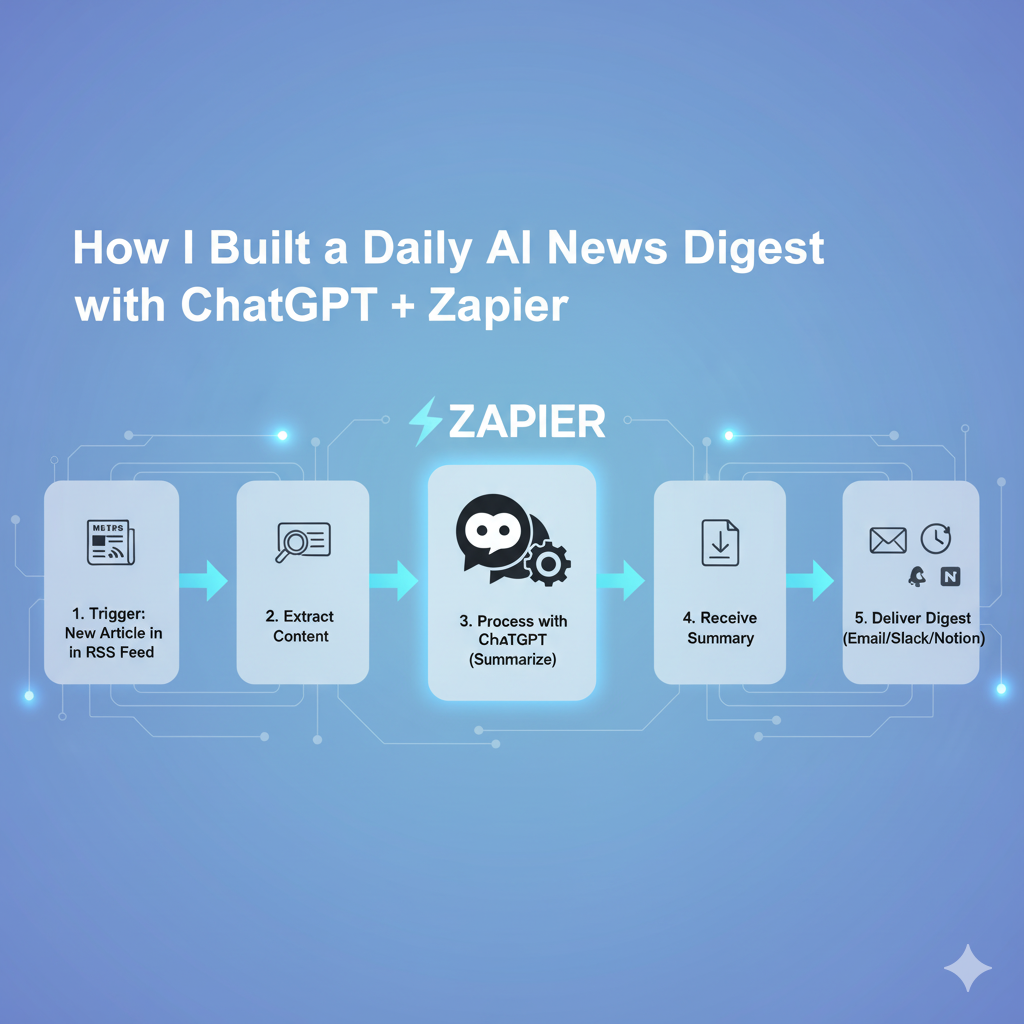
Step 3 — Add Brains with Zapier + ChatGPT
This is where the magic happens. I built a Zap that:
-
Trigger: New email with label
AI-Recap. -
Formatter: Extracts the article links from the email body.
-
ChatGPT Action: Sends the link to GPT-4o with this prompt:
Now instead of raw links, I get structured summaries.
Step 3.3 — Store It in a Content Bank (Google Docs)
Every summary gets appended to a Google Doc called AI Daily Recap Archive. Each entry looks like:
That means I’m building a searchable library of AI news I can repurpose for:
-
Blog posts
-
LinkedIn content
-
Newsletters
-
YouTube scripts
Step 3.4 — Release the Digest
Finally, I added Digest by Zapier:
-
It collects summaries all day.
-
At a set time (6pm daily), it releases them as a batch.
-
The digest is emailed to me in a newsletter-style HTML format.
So instead of 20 scattered emails, I get one clean recap.