
Building My First AI Digital Product (and What I Learned Along the Way)
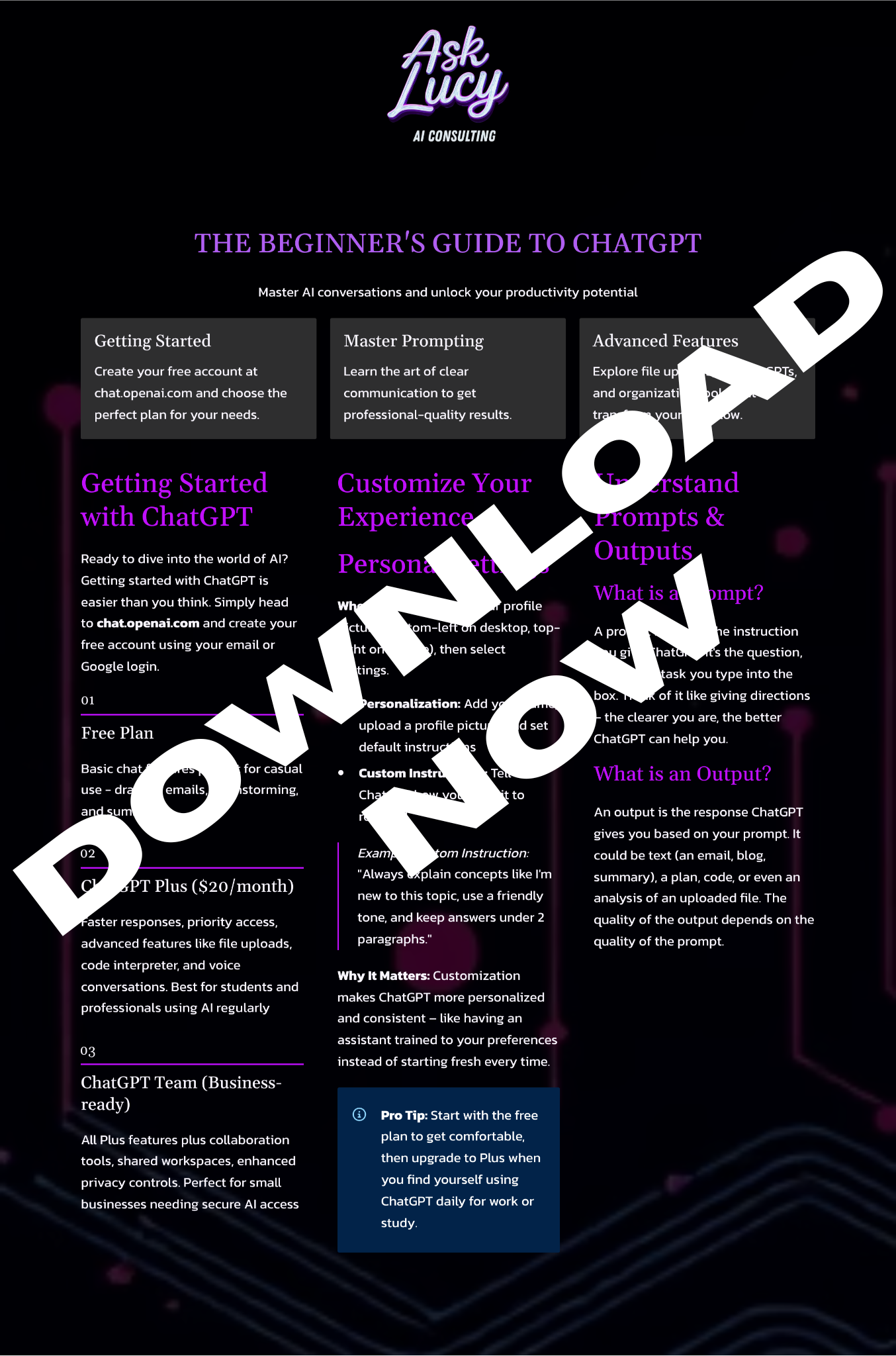
Today was a big milestone for Ask Lucy — I built my first digital download: a Beginner’s Guide to ChatGPT. It’s a free one-page PDF packed with value, designed to teach people how to start using AI the right way.
Here’s how it came together
Step 1: Choosing the Right Freebie
I wanted something that would:
-
Educate people quickly.
-
Show off my knowledge in AI.
-
Serve as a lead magnet (a free resource in exchange for email capture).
The winner? A one-page beginner’s guide to ChatGPT. Short, simple, and practical — something anyone could use right away.
Step 2: Planning the Content
Before I touched any design tools, I mapped out the sections:
-
Getting Started: how to sign up, plans available, what each offers.
-
Customizing Your Account: personal instructions to make ChatGPT more useful.
-
Custom GPTs & Folders: how to organize and specialize assistants.
-
Prompting, Outputs, and Framing: what prompts are, how outputs work, and why clarity matters.
-
Framing Hacks & Document Uploads: role-play prompts, file uploads, and connecting drives.
-
Everyday AI Shortcuts: quick wins for daily life.
-
3 Power Prompts to Try: practical copy-paste examples.
-
Where to Go Next: links to AskLucy.us and my services.
This gave the PDF a natural flow from setup → usage → pro tips → next steps.
Step 3: Designing the Guide
I tested two tools:
-
Canva → More customizable (great for polished visuals), but slower to format.
-
Gamma ⚡ → Less flexible, but blazing fast for laying out text-heavy guides.
The verdict: Canva is perfect for marketing assets, but Gamma saved me a ton of time for creating the core PDF.
Step 4: Making It Fit on One Page
A key challenge was squeezing all this content into a single sheet. The solutions were:
-
Shrinking font and spacing slightly.
-
Switching to a two-column layout.
-
Using callout boxes for formulas, tips, and prompts.
-
Adding a background color (black with purple highlights) to unify the design.
The result: a clean, scannable PDF that feels like a cheat sheet, not a textbook.
Step 5: Adding Extra Value
To fill the page and make it memorable, I included:
-
A formula for prompts (Role + Task + Context + Output).
-
A Try It Yourself exercise (compare a vague vs. specific prompt).
-
Everyday AI use cases (emails, meetings, learning).
-
3 Power Prompts readers can test immediately.
-
A short list of 3 Things NOT to Do with ChatGPT (safety and accuracy tips).
What I Learned
-
Done > Perfect. Getting the first guide out was more important than fussing with design.
-
Gamma + Canva = Power Combo. Gamma for creation, Canva for repurposing into social posts, mockups, and ads.
-
Clarity wins. Beginners don’t need fluff — they need a guide that gets them results in minutes.
Next Steps
This was just the first digital product. From here, I’ll:
-
Build more profession-specific guides (for teachers, realtors, small business owners, etc.).
-
Offer paid products like study packs and SOP-based training tools.
-
Use these free PDFs to grow my Ask Lucy email list and community.
✅ If you’re curious, keep an eye out for the free Beginner’s Guide to ChatGPT download on AskLucy.us. It’s just the start of a library of AI-powered resources designed to save you time and make work easier.