Fire Ground Sim: Why I built it and how to get reps tonight
Fire Ground Sim (FGS) is an AI-powered tactical fire simulation platform designed for firefighter training and incident command practice. By generating realistic, on-demand radio traffic and fireground friction, it allows aspiring officers and captains to practice verbal command skills asynchronously without the logistical drag of live-roleplay drills.
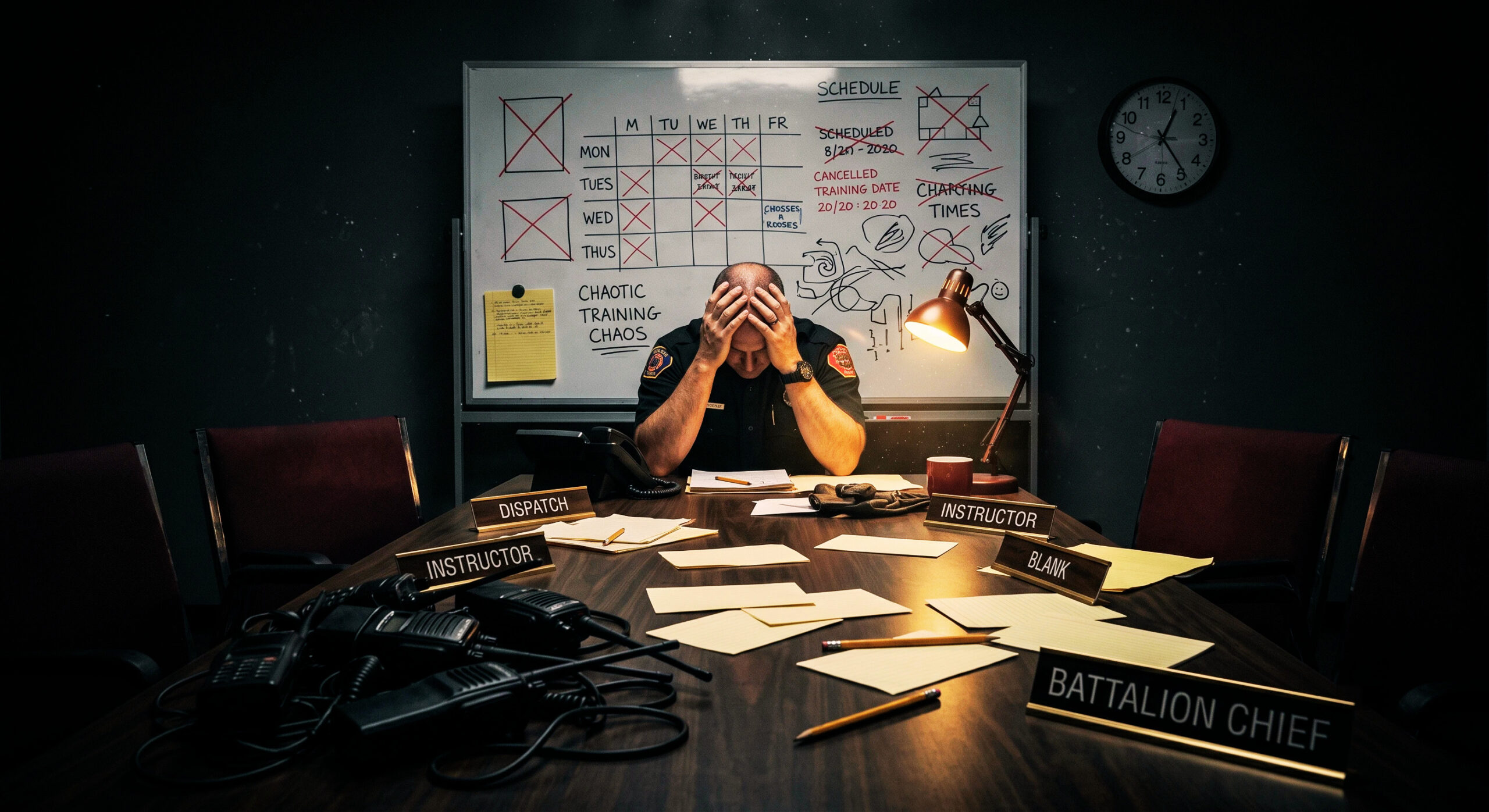
To get a single, realistic fifteen-minute run as an incident commander in real world training, you have to pull rigs out of service or out of position, possibly pay overtime to role players, coordinate different shift schedules, hope the weather cooperates and meticulously plan the scenario that gets built. You need radios, multimedia personnel, coordination between role players, and a way to objectively evaluate each person’s performance. This can take hours or even days to get everyone to run through the simulation. Needless to say, command sims are a heavy logistical lift. If you are at a department or company that runs a lot of auto/mutual aid then the logistical lift compounds across jurisdictional lines.
You get maybe one live-fire evolution a year at the academy if your department is generous and has the budget. The rest of the time, you get a stack of textbooks and whatever kitchen-table roleplay you can talk a couple of coworkers into running.
This burden is the whole reason Fire Ground Sim (FGS) exists.
The Challenge of Incident Command Training
Incident command is a verbal skill. You don’t get promoted for knowing the answer. You get promoted for being able to say the answer clearly, on a radio, while units are checking in, fire is blowing out of a window, and something is already going wrong.
Written tests don’t train that. Flashcards don’t train that. The only thing that trains it is reps: taking command, issuing orders, hearing problems come back at you over the air, and doing it again until it stops feeling like a performance and starts feeling like reflex.
The problem is that kind of practice has always required a massive coordination effort. You need a dedicated dispatcher, a few units willing to sit in a classroom and roleplay, and an instructor running the scenario to invent curveballs on the fly. That is a massive amount of planning to assemble on a random Tuesday, and it is completely impossible to practice by yourself alone at 5 a.m. when you are grinding for your promotion. As a master firefighter aspiring to be a captain I self studied my tail off, but how do you prepare for the tactical by yourself? Sure, I could speak my orders into the mirror, but who would respond back? What if I needed to practice overcoming some sort of tactical friction? Me playing the IC as well as every responding unit felt silly and I didn’t think it would prepare me for the stress of the assessment center or a real life incident.
Building an AI Radio Simulator for Firefighters
I knew my department wanted its rising officers to know our playbooks so that’s how I initially trained. Whether the second engine on scene was the second arriving unit or the fifth I knew their assignment, but I still had to put it into practice. When I started experimenting with AI voice tools, the idea was simple and a little stubborn: what if we could bypass all the logistical drag entirely? What if the radio traffic itself could be generated, so a firefighter could run a full incident, alone, on demand, without needing to coordinate schedules or ask for anyone else’s time?
The first version was not a platform. It was a system prompt. I wrote out exactly what I wanted: the user takes command as the first-arriving unit, the AI plays every other unit and dispatch, and the whole thing runs five to seven minutes until a battalion chief arrives and takes over. I trained the AI how to speak on the radio, when to insert friction, and basic fireground terminology. You key the radio and you talk, the same way you would on the fireground.
The first real gap I had to close was spontaneity. Early on, the system would respond fine to commands but never throw anything at you on its own. Fixing that, so the AI could inject a mayday or a water supply failure without warning, was what turned it from a script into something that actually felt like the job.
That one tool worked well enough that it stopped being a side project.
Expanding into a Complete Fireground Simulation Program
Every module that exists now was added because the first tool exposed the next problem.
Solo voice reps were great for command decisions, but they did not give you anything to look at afterward. There was no record of what you actually did and when. That became Command Sim Pro, a visual command board with drag-and-drop assignments and a timestamped log.
Training alone is useful, but a lot of the people who need this most are running shift drills or coaching study groups. They needed everyone in the room, or scattered across three different stations, to be part of the same scenario. That became Instructor Mode.
And not every drill should have an AI running the radio. Sometimes an instructor wants full manual control: pick the building, place the hazards, walk a crew through size-up, and see how conditions change over time, without an AI improvising the outcome. That became Scene Builder.
Underneath all of it are two tools that started free and stayed free. Pump Simulator is for driver-operators who need real hydraulic math, not a video, and Scene Size-Ups is a silent drill that throws a new incident photo at you every thirty seconds so you can build the habit of verbalizing what you see.
While I was building and studying I realized I also wanted a way to take practice tests and quizzes on my exam bibliography. And so, the Knowledge Tester module was born. A place where I, or you, can upload the materials you need to study and have custom test banks created based on that content. Now, I could whip out my phone during my kid’s soccer practice, run a command sim and take a few practice tests.
That is the shape of the platform today: seven tools built in the order the problems showed up, not off a roadmap dreamed up in a corporate conference room. Here is how to actually use the ones that matter most.
How to Get Free Incident Command Reps Tonight
Create an account at firegroundsim.com/signup and you get two things immediately.
First, you get unlimited access to Pump Simulator and Scene Size-Ups, permanently, on the free Probie tier. Second, you get a five-day trial that opens up everything else at the top tier, so you can run Command Sim, Command Sim Pro, Instructor Mode, and Scene Builder before you decide what is worth paying for.
The full walkthrough for every module lives at firegroundsim.com/guide if you want the granular version of anything below.
Command Sim: Core Radio Voice Reps
This is the original tool, and it is still the fastest way to get a rep in.
Set your dispatch center and unit ID, pick an incident type, from a single-family house to a high-rise, and configure your unit matrix to match how your city actually dispatches. There is an optional real-address mode that pulls in Street View and overlays fire and smoke on your actual first-due area, which is worth using if you want the scenario to feel local.
The opening sequence is mandatory and it is not there to waste your time. Dispatch, arrival, your initial radio report, your 360, your strategy declaration: that sequence is exactly what gets graded on a real oral board, and skipping it defeats the purpose.
Hold the spacebar to transmit. This mimics the push to talk on our portable radios. Nothing goes out over the air unless you are actively keying up, same as a real radio. Units arrive on their own timeline, issues get thrown at you without warning, and around the seven-minute mark, a battalion chief shows up and asks for a CAN report. Delivering a clean CAN report is how you end the run. That handoff is the whole point: command decisions under time pressure, not a written quiz.
Command Sim Pro: Visual Command Board & Logging
This is the same setup as Command Sim, but now you are working a digital command board alongside the radio traffic.
Units sit in a column on the left. Tap one to mark it on scene with a real timestamp, then drag it into an assignment card: fire attack, water supply, primary search, RIT, or whatever the incident calls for. Tap benchmarks as you hit them and the board timestamps those too.
There are two modes. Standard runs the AI radio alongside an elapsed timer, so it plays like Command Sim with a board attached. Real World mode strips the AI radio and the generated image out entirely and uses real wall-clock time , which makes it genuinely useful during an actual incident or a live physical drill, not just a simulation. Just add the real world units in the user configuration screen and the built in logging system tracks every command board move in real time.
Every action in either mode gets logged automatically in the command log, and you can export that log as a text file. Dropping that export into an LLM is a fast way to generate a rough after-action report or a press briefing draft without starting from a blank page. The intel you can harvest is only limited by your imagination.
Instructor Mode: Multi-Station Shift Drills
This is where solo practice turns into a group drill, and it requires the Chief tier. As the host, you set up the incident the same way you would for Command Sim Pro, then generate a single-use link. Anyone you send it to joins with no account required, picks their unit from the roster, and you are running a shared session.
Everyone transmits over the same channel, more like a group radio net than separate calls, so cutting each other off is part of the realism. You choose whether the AI runs dispatch and radio traffic for the whole group, or whether you want an instructor-directed session where there is no AI at all and your crew runs the radio manually while the app just tracks the clock and arrival cues.
Only the host can move pieces on the board; everyone else sees it live but read-only, unless you hand control to a specific participant. If you are coaching a study group scattered across different stations, or running a company-level drill on shift, this is the tool that gets everyone in the same scenario at the same time.
Scene Builder: Custom Tabletop Scenario Design
Also on the Chief tier, this is built for instructors who want full manual control instead of AI-generated radio traffic. Pick a structure, using a prebuilt one, one you have saved before, your own uploaded photos, or a real satellite address. Place hazards on each side of the building, and you can save the whole structure-plus-hazard combination as a reusable scenario set for next time.
Sharing works two ways. Self-hosted means you open the student view in a second tab and screen-share it over whatever call platform you already use: Microsoft Teams, Google Meet, Zoom, etc. FGS Link is the tighter option: your crew joins on their own devices with a synced view, built-in push-to-talk, and their own arrival cues, with no separate call needed at all. This is the tool for size-up training and tabletop-style scenario walkthroughs where you want to control exactly what conditions look like and how they change, rather than letting an AI decide.
The free tools and the department feature
Pump Simulator and Scene Size-Ups are unlimited on every account, including the free Probie tier, and both are worth using even if you never touch a paid module.
Pump Simulator runs real hydraulic calculations, friction loss, PDP, tank drainage, the whole thing. It is a genuinely good way for driver-operators to sharpen their math without burning water. It’s basically a complex calculator with a user interface of a pump panel. Real time hydraulic calculations are computed based on water in and water out. All calculations are visible and verifiable.
Scene Size-Ups is the simplest tool on the platform: a new AI-generated scene every thirty seconds, no audio, no grading, just rapid-fire repetition of verbalizing what you see.
Knowledge Tester is built for department training officers: a quiz bank generated from your own SOPs and SOGs, with instant feedback and citations. It is currently a department-enabled feature, so if you are an individual user, you will see an explainer instead of the live tool. If you are a training officer who wants it built out for your department, there is a request link right on that screen.
Why it works
The AI’s unpredictability is not a bug I am still trying to fix. It is the entire training value. Real fireground chaos does not run on a script, and a simulator that always throws the same three curveballs in the same order stops training anything after your second or third run. The imperfection is what keeps you honest.
The other piece is that it is asynchronous. No instructor has to be free at the exact same time you are. You can run a rep the night before an oral board, or the morning after a rough call when you want to shake it off, without asking anyone else to clear their schedule. That is something a scheduled classroom session cannot replicate, no matter how good the instructor is.
What this is not
It is not a replacement for live fire training, and it does not touch anything NFPA 1403 governs. It is not going to grade you against a formal rubric, because command performance is genuinely subjective and a universal scoring system would do more harm than good.
Safari on iOS can be finicky with microphone permissions, so Chrome is the more reliable browser if you are running it on a phone or tablet. And if the app ever freezes mid-run, there is no fancy recovery flow yet: a hard refresh clears it.
None of that changes what it is good for. It is good for the one thing that has always been hard to get: a realistic, repeatable rep, on your own schedule, as many times as you need it.
Get your first rep in
Head to firegroundsim.com/signup and create a free account. You will get the free tools forever and five days of full Chief-tier access to try everything else, including Instructor Mode and Scene Builder, before you decide what is worth keeping.
If you want to see the full pricing breakdown first, that is at firegroundsim.com/training. Either way, the fastest way to understand what this does for your radio presence is to stop reading about it and run one incident tonight.
FAQs
-
How do you practice incident command alone? Traditional training requires a full crew, but platforms like Fire Ground Sim use AI voice tools to simulate dispatch and responding units, allowing solo users to run full 360 size-ups and radio commands on demand.
-
What is the best browser for Fire Ground Sim? Google Chrome is recommended for both desktop and mobile devices to ensure seamless microphone permissions during push-to-talk radio simulations. Safari on iOS can occasionally experience finicky permission drops.
-
Can Fire Ground Sim calculate pump hydraulics? Yes, the platform includes a free Pump Simulator tier designed for driver-operators to practice real-time hydraulic math, friction loss, and pump discharge pressure (PDP) calculations on a simulated pump panel.